

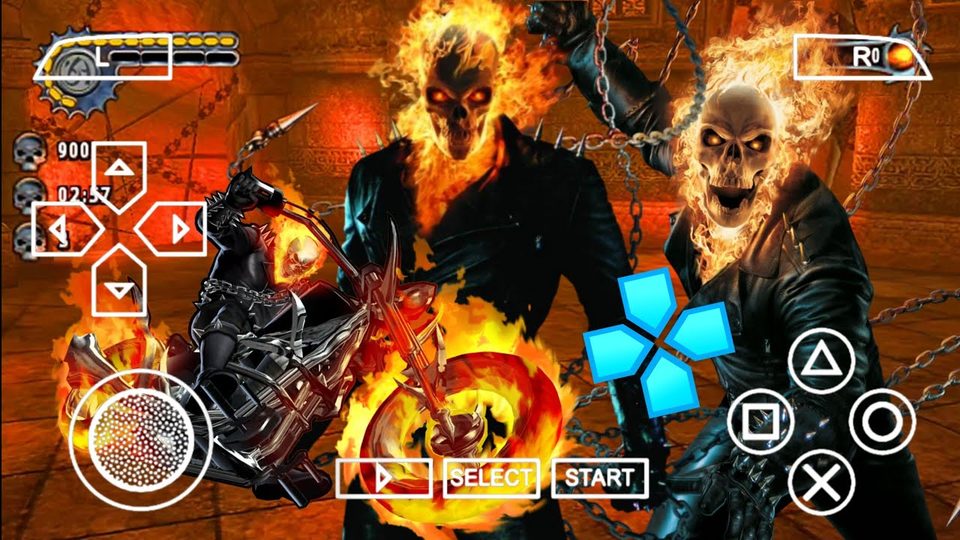
Ghost Rider PPSSPP has become a popular search for fans who grew up with the PSP and want to relive the 2007 Marvel action game on a phone or tablet. The original PSP release let players step into the boots of Johnny Blaze, the stunt rider who sold his soul and got turned into a flaming, chain-swinging avenger, and running it through an emulator today brings back that whole experience with sharper visuals and smoother controls than the handheld ever managed. This guide walks through what the game actually offers, what your phone needs to run it well, how the controls and combat work, and how to fix the lag, stutter, and crash problems that show up most often.
Game Overview and Story
Ghost Rider PPSSPP picks up right where the 2007 movie left off. Johnny Blaze made a deal with a demon named Mephistopheles to save his father’s life, and in exchange, his body now plays host to the Ghost Rider at night, a flaming skull-headed entity with a burning chain and a motorcycle to match. The game’s story sends a batch of rogue demons loose on Earth, and Mephistopheles orders Blaze to hunt them down before things get out of hand. Refuse, and his girlfriend Roxanne gets dragged back to hell in his place, so the plot gives Blaze plenty of reason to keep swinging that chain.
Structurally, the campaign splits between two very different types of missions. On foot, combat plays out in tight arenas where Blaze whips his hellfire chain at demons, launches them into the air, and strings together combo attacks that pull heavily from the God of War playbook of the era. Every hit that lands without getting countered fills up a vengeance meter, and once that meter is full, Blaze can rip the soul straight out of an enemy for bonus points and a burst of extra damage against anything shielded nearby. Those souls double as the game’s currency, letting players unlock new combo strings, extra combat moves, and a handful of playable extras as the story progresses.
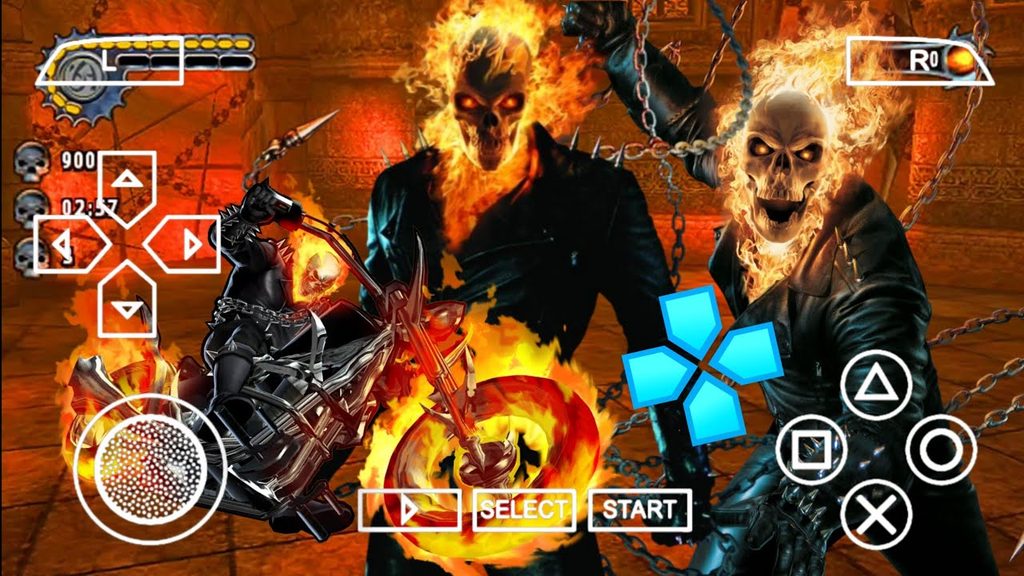
The other half of Ghost Rider PPSSPP switches to motorcycle sections, where Blaze tears down city streets and highways on his flaming bike, weaving through traffic while demons chase him down or block the road ahead. These stages break up the beat-em-up pacing with something closer to an arcade racer, and a few boss fights blend both styles together, forcing players to hop off the bike mid-chase and finish an enemy on foot. It is a short campaign by modern standards, built more like a licensed action title than a sprawling adventure, which actually works in its favor on a phone since sessions rarely demand more than twenty or thirty minutes at a stretch.
| Category | Details |
|---|---|
| Developer | Climax Studios (Climax Group) |
| Publisher | 2K Games |
| Genre | Action, hack-and-slash beat-em-up with vehicle sections |
| Original release | February 13, 2007 (PSP) |
| RAM needed for emulation | 2GB minimum, 3GB or more recommended |
| Android OS version | Android 8.0 or newer recommended |
| Storage space | Roughly 500MB to 900MB depending on the game file used |
System Needs and Compatible Phones
Running Ghost Rider PPSSPP smoothly comes down almost entirely to the phone’s chipset, since the PSP’s original hardware is easy for a modern processor to emulate, but the emulator still has to do real work translating that code on the fly. On the minimum end, a phone with a MediaTek Helio G-series chip, 3GB of RAM, and Android 8 or newer can get the game running, though expect the odd dropped frame during busy combat sections. For a genuinely smooth run of Ghost Rider PPSSPP, a Snapdragon 600-series chip or newer, paired with 4GB of RAM, handles both the beat-em-up combat and the motorcycle chases without slowdown.
Budget phones can generally get by here because the PSP generation of games never asked for much horsepower to begin with. A Redmi, Realme, or Infinix model built around a Helio G80 or Snapdragon 4-series chip will run the game at a stable pace, provided background apps are closed first. Anything with less than 2GB of free RAM will likely stutter through the vehicle sections, where more is happening on screen at once.
Mid-range phones are really the sweet spot for this particular game. A Snapdragon 680, 695, or a Dimensity 700-series chip, combined with 6GB of RAM, gives enough headroom to bump up the internal resolution above the PSP’s native output and still hold a steady frame rate. Most players running Ghost Rider PPSSPP on a two or three year old mid-range phone report no meaningful slowdown once the settings below are dialed in correctly.
Flagship phones have more than enough power to spare, so the focus there shifts from “will it run” to “how good can it look.” A Snapdragon 8-series or Apple A-series chip can push the internal resolution well past the PSP original, apply texture filtering, and still maintain a locked frame rate through every cutscene and boss fight. On this tier, the game essentially runs at its ceiling, limited more by how the emulator renders old PSP assets than by anything the phone itself struggles with.
One point worth repeating: a fast chipset matters more than a high core count here. PPSSPP, the emulator most people use to run this game, leans on single-core performance for its CPU interpreter, so a phone with six or eight weaker cores often performs worse than one with four strong ones.
Gameplay Mechanics and Controls
Ghost Rider PPSSPP plays comfortably with a touchscreen once the on-screen layout gets customized a little, though a Bluetooth controller removes any guesswork if one is available. The default control scheme mirrors the original PSP layout: the left analog stick or D-pad handles movement, the face buttons cover light attacks, heavy attacks, chain grabs, and jumping, and the shoulder buttons trigger dodges and the vengeance-fueled soul-rip finisher once the meter is full.
Combat rewards patience more than button mashing. Enemies in Ghost Rider PPSSPP telegraph their attacks with a short wind-up, and dodging just before impact opens a window for a free combo. Chaining light attacks into a heavy finisher builds the vengeance meter fastest, and mixing in the chain-grab move to pull distant enemies into the fray keeps larger groups from surrounding Blaze all at once. New players tend to struggle early simply because they treat it like a straight brawler, when spacing and dodge timing matter just as much as raw combo length.
The motorcycle stages use a simpler control set: acceleration, braking, a boost tied to the vengeance meter, and a dedicated attack button for swinging the chain at pursuing enemies without slowing down. These sections move fast, and steering with a touchscreen slider takes a little practice compared to the analog stick original, so anyone remapping controls should test the turning sensitivity before committing to a full playthrough.
A few beginner tips make the early hours smoother. Save souls for the chain-extension upgrades before spending them on cosmetic unlocks, since a longer combo chain makes every later fight easier. Keep an eye on the vengeance meter during boss fights specifically, since bosses often have brief shielded phases that only the soul-rip finisher can break through. And during motorcycle chases, boosting through narrow gaps in traffic is usually safer than trying to dodge around obstacles at full speed.
Technical Performance and Lag Fixes
Most performance complaints around Ghost Rider PPSSPP trace back to a handful of settings rather than the phone itself being underpowered. Working through these in order clears up the vast majority of stutter and slowdown reports.
Stuttering during combat or motorcycle sections: Open the emulator’s graphics settings and lower the rendering resolution one notch below native screen resolution, since pushing a higher internal resolution than the phone can comfortably handle is the single most common cause of frame drops. Switching the rendering mode to “Buffered Rendering” instead of “Skip Buffer Effects” also smooths out sudden dips during busy fight scenes.
Audio crackling or falling out of sync: This almost always points to the audio latency setting running too low for the phone’s hardware. Raising the audio buffer size slightly, or switching from “Low Latency” audio to the standard setting, fixes crackling on most budget and mid-range devices. If dialogue and lip movement drift apart during cutscenes, enabling frame skipping at a low value (1 or 2) usually realigns them without hurting visual quality.
Overheating during longer sessions: PSP emulation is CPU-intensive even for a game this old, and thermal throttling causes a slow, creeping frame rate drop the longer a session runs. Capping the frame rate at 30 instead of 60 reduces heat generation noticeably, and closing every background app before launching Ghost Rider PPSSPP keeps the chipset from sharing resources it needs for steady emulation.
Black screen on launch or after a cutscene: This typically comes down to a corrupted save state or an incompatible graphics backend. Switching the backend between Vulkan, OpenGL, and Direct3D in the emulator’s settings resolves this on most Android devices, since certain chipsets handle one backend noticeably better than the others. Clearing the game’s cache through the emulator’s game settings menu, rather than deleting and redownloading anything, also resolves the majority of black-screen reports without losing existing progress.
General slowdown across the board: Double-check that the CPU clock setting inside the emulator is left on “Automatic” rather than manually underclocked, and confirm the JIT compiler option is enabled, since running the older interpreter mode instead of JIT is dramatically slower on every phone. Between a correctly configured JIT setting and a sensible resolution choice, the large majority of performance issues in Ghost Rider PPSSPP clear up without needing to touch anything else.
Conclusion
Ghost Rider PPSSPP holds up better than a lot of licensed movie games from the same era, mostly because the combat leans on a genuinely solid vengeance-meter system and the motorcycle stages give the campaign a rhythm that most beat-em-ups from 2007 never bothered with. On the hardware side, this is one of the more forgiving PSP games to emulate, since even budget phones from the last few years can run it at a stable pace once the resolution and audio settings are configured sensibly. Mid-range and flagship phones have more than enough headroom to push past what the original PSP hardware could ever display, turning a fifteen-year-old handheld game into something that looks and feels noticeably sharper today.
For anyone running into stutter, audio drift, overheating, or black screens, the fixes above cover the overwhelming majority of reported problems, and most players find that a single pass through the graphics and audio settings solves everything in one go. Between a reasonably modern chipset and a properly configured emulator, Ghost Rider PPSSPP plays about as close to its original PS2 and PSP release as a phone realistically allows, chain-swinging combat, flaming motorcycle chases, and all.
⚡ Get Game