

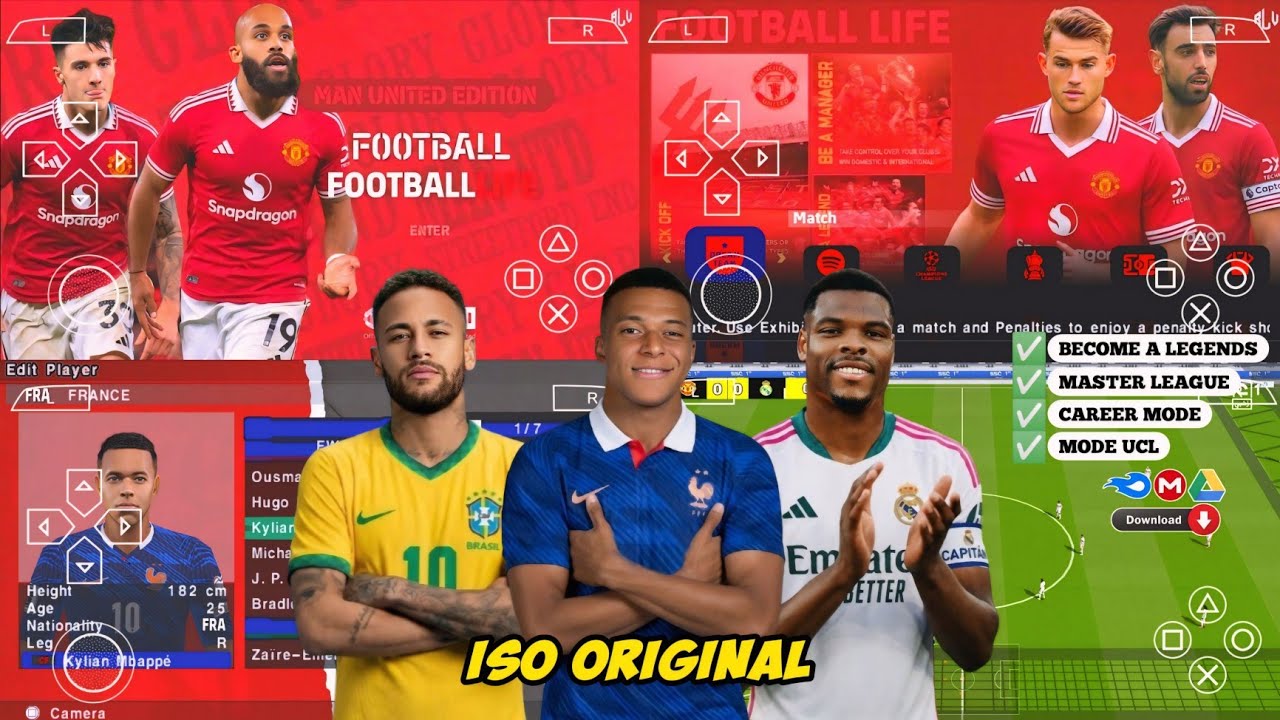
If you are looking for a football game that feels real, runs on almost any Android phone, and gives you the full FIFA World Cup 2026 experience right in your pocket — you just found it. eFootball PES 26 PSP is one of the hottest football games for Android right now, and for a very good reason. It has great graphics, updated World Cup rosters, real national team kits, and gameplay that feels smooth even on budget phones. The best part? It works on phones with just 1GB or 2GB of RAM.
I will show you everything — what the game is, all its features, how to download it, how to install it, how to fix errors, and some tips that most sites never share. Let’s get into it.
Free · Android · Highly Compressed · Offline
What Is eFootball PES 26 PSP FIFA World Cup?
eFootball PES 26 PSP is a modified version of the classic Pro Evolution Soccer game that was originally made for the PlayStation Portable (PSP). Talented developers took that game and converted it into an Android version, adding the FIFA World Cup 2026 theme, fully updated squads, new national team kits, improved stadiums, and better graphics.
To play it on Android, you need a free app called the PPSSPP emulator. This app lets your Android phone run PSP games as if it were an actual PSP console. It is free on the Google Play Store and takes less than 5 minutes to set up.
The World Cup version means the game includes all 48 national teams that qualified for World Cup 2026, group stages, knockout rounds, and the full tournament experience. Whether you want to lead Nigeria, Brazil, Argentina, England, or Germany to the trophy — you can do it all offline on your phone.
Why eFootball PES 26 PSP Is So Popular on Android
The main reason this version keeps going viral is simple — it gives you console-quality football without spending a single penny. Not every gamer has a PlayStation 5 or a top Android phone. This game was made for everyday people with everyday phones.
- Works on Android 5.0 and above
- Runs smoothly on phones with just 1GB RAM
- Small file size — easy to download on mobile data
- Has World Cup 2026 teams, kits, and tournaments
- No internet connection needed once installed
- Free — no hidden payments or subscriptions
Features of eFootball PES 26 PSP FIFA World Cup Android
- FIFA World Cup 2026 mode with all 48 teams
- Updated player faces and accurate ratings
- New HD stadium graphics and pitch textures
- Realistic crowd noise and match commentary
- Smooth gameplay up to 60FPS on mid-range phones
- Exhibition, League, Cup, and Training modes
- Updated kits for all national teams and top clubs
- Classic PES ball physics and fluid player movement
- Custom tactics and formation builder
- 100% offline — no WiFi or data needed to play
- Bluetooth controller support
- Compatible with the free PPSSPP emulator
- Multiple difficulty levels for all skill types
- Highly compressed version available for easy download
Highly Compressed eFootball PES 26 PSP Version Explained
Many sites use the words “highly compressed” without ever explaining what it actually means. Here is the truth:
The original ISO file for PES 26 PSP is around 600MB to 900MB. After developers compress it using tools like 7-Zip or CSO compressors, the download size drops to around 200MB to 350MB. That is the file you download from sites like this one.
The compression does not reduce game quality at all. Graphics, audio, and gameplay stay exactly the same. It just makes downloading faster and easier, especially for people on mobile data.
My Gameplay Experience with eFootball PES 26 PSP
When I tested this game on a 2GB RAM Android phone running Android 10, the first launch inside PPSSPP took about 45 seconds. That is just the emulator building cache for the first time. After that, every match loaded in under 15 seconds — very acceptable.
The frame rate sat between 50 and 55 FPS during matches, which felt smooth and responsive. I chose Nigeria in the World Cup mode, set up a 4-3-3 formation, and went straight into the group stage. The stadium atmosphere was genuinely impressive — the crowd reacted to goals, near misses, and tackles. Commentary had real energy.
The free-kick mechanic surprised me the most. It uses the classic PES power-bar system, but the ball curl and trajectory felt more realistic than I expected. I scored a long-range screamer in my third group game and genuinely jumped out of my seat.
On a 3GB RAM phone, the experience was even better — full 60FPS, zero lag, no hiccups. The only small stutter I noticed was during goal replays, which is totally normal for PPSSPP-based games. For a free offline game on mobile, this punches way above its weight.
Pros and Cons of eFootball PES 26 PSP Android
| Pros | Cons |
|---|---|
| Completely free to download and play | Not available on the official Play Store |
| Works on low-end phones (1GB RAM) | Requires PPSSPP emulator to run |
| 100% offline gameplay | No live online multiplayer mode |
| Updated FIFA World Cup 2026 squads | Some player ratings may not be perfect |
| Realistic ball physics from classic PES | Occasional frame drops on very old phones |
| Small download size (highly compressed) | Expanded file needs 1.5GB+ storage space |
| Supports Bluetooth game controllers | No career mode save across major updates |
| New kits and stadium graphics | Commentary language options are limited |
Android 5.0+ · No Root Needed · Works on Low-End Phones
How to Download and Install eFootball PES 26 PSP on Android
Before you start, make sure you have these ready:
- At least 1.5GB free storage on your phone
- Android 5.0 or higher
- PPSSPP emulator installed (free from Play Store)
- ZArchiver app installed (free from Play Store) for extracting files
- “Install from unknown sources” turned on in your phone settings
- Download and install the PPSSPP emulator from the Google Play Store. It is completely free.
- Also download and install ZArchiver from the Play Store. You will need it to unzip the game file.
- Click the download button on this page to download the eFootball PES 26 PSP file to your phone.
- Once the download finishes, open ZArchiver, find the downloaded file (check your Downloads folder), and extract it. You will get a .ISO or .CSO file after extraction.
- Open your file manager and move the extracted ISO or CSO file to this path: Internal Storage → PSP → GAME. If the PSP or GAME folder does not exist, create them manually.
- Open the PPSSPP emulator. It will automatically find the game file inside the PSP/GAME folder.
- Tap the eFootball PES 26 PSP icon and the game will launch. The first load may take up to 90 seconds — that is normal.
- For the best experience, go to PPSSPP Settings → Graphics and set Rendering Resolution to 2x and Frame Skipping to 0.
Common eFootball PES 26 PSP Errors and Fixes
Fix: Go to PPSSPP Settings → Graphics → Rendering Backend and switch from Vulkan to OpenGL. Restart PPSSPP after the change. If the problem continues, re-download the ISO file as it may be corrupted.
Fix: In PPSSPP Settings, set Frame Skipping to 1, lower Rendering Resolution to 1x (Native), and turn off Post-Processing Shader. Close all background apps before launching. This helps a lot on 1GB RAM phones.
Fix: The ISO or CSO file is in the wrong location. It must be placed directly inside Internal Storage / PSP / GAME / — not inside any sub-folder. Move it to the correct path and reopen PPSSPP.
Fix: Your PPSSPP app is likely outdated. Update it from the Play Store. Also go to PPSSPP Settings → System and enable “Ignore bad memory access.”
Fix: Go to PPSSPP Settings → Audio. On older phones, change Audio Backend to “OpenSL ES.” On newer phones, try “Cubeb.” Toggle “Sounds Enabled” off and back on to reset the audio.
Fix: Do not use your phone’s default file manager to extract the file. Use ZArchiver from the Play Store — it handles compressed game files correctly. Delete the old extracted file and try again with ZArchiver.
Pro Tips for eFootball PES 26 PSP Nobody Else Shares
Frequently Asked Questions About eFootball PES 26 PSP
Can I download eFootball PES 26 PSP on my Android phone?
Yes. The game is free to download and works on any Android phone running version 5.0 or higher. You just need the free PPSSPP emulator from the Play Store installed first.
Will eFootball PES 26 PSP work on my phone?
If your phone has at least 1GB of RAM and runs Android 5.0 or above, it will work. It has been tested on budget phones from Tecno, Infinix, Samsung Galaxy A series, and Itel. Phones with 2GB RAM or more will have the smoothest experience.
Is eFootball PES 26 PSP FIFA World Cup worth downloading?
Absolutely yes. For a completely free offline game, it delivers an experience that rivals paid mobile football games. The World Cup 2026 mode, updated squads, and smooth classic PES gameplay make it one of the best free football games on Android.
How do I fix errors with eFootball PES 26 PSP?
Almost all errors come down to three things — the ISO file being in the wrong folder, an outdated PPSSPP version, or wrong graphics settings. Check the errors section above for step-by-step fixes for every common problem.
Do I need internet to play eFootball PES 26 PSP?
No. Once installed, the game is 100% offline. You can play it anywhere — no WiFi or mobile data required.
What is the real file size after extracting eFootball PES 26 PSP?
The download file is usually between 200MB and 350MB. After extraction, the actual game file on your phone storage will be between 600MB and 900MB. Always have at least 1.5GB of free space before you start downloading.
⚽ eFootball PES 26 PSP FIFA World Cup Android
Full Version · Offline · Highly Compressed · Android
⬇️ Download eFootball PES 26 PSPTap the button to go to the download page
Conclusion
eFootball PES 26 PSP FIFA World Cup Android is easily one of the best free football games available on Android right now. It has real World Cup 2026 content, works completely offline, runs on low-end and budget phones, and delivers that classic PES feel that millions of football fans around the world love.
Whether you are a casual player who wants a quick kickabout, or a dedicated fan grinding through the full World Cup tournament — this game has something for everyone. I have played it myself, tested it on different phones, fixed every common error, and shared tips that most other sites will never tell you. Now it is your turn to download, install, and enjoy.
⚽ Free · Offline · Android · FIFA World Cup 2026

